
The PRISMA 2020 flow diagram, explained
Your manuscript needs a PRISMA flow diagram, and its numbers have to add up from the first box to the last. It shows how you got from everything your searches found to the studies in your review. Most questions about it come down to which unit each box is counting.
Updated
In brief
- The diagram has three stages: identification, screening and included.
- The boxes count records, then reports, then studies. Keep the units straight and the numbers add up.
- Duplicates are counted as records removed before screening, so count them before you delete them.
- If you also found studies outside databases and registers, through citation searching for example, use the template with a column for other methods.
- Use the 2020 template. The PRISMA 2020 statement replaces PRISMA 2009.
What the diagram is for, and which template to use
Item 16a of the PRISMA 2020 statement asks you to describe the results of your search and selection process, from the number of records identified to the number of studies included, ideally using a flow diagram. The statement replaces PRISMA 2009, which it says should no longer be used.
There are four Word templates on the PRISMA website. New reviews and updated reviews each have two, one for databases and registers only and one that adds other sources. They’re licensed CC BY 4.0. Pick the one that matches what you searched.
Identification of studies via databases and registers
*Consider, if feasible to do so, reporting the number of records identified from each database or register searched (rather than the total number across all databases/registers).
**If automation tools were used, indicate how many records were excluded by a human and how many were excluded by automation tools.
The statement says the boxes shaded grey in the template should only be completed if they apply to your review, and should otherwise be removed. Empty boxes left in raise questions the diagram doesn’t answer.
Records, reports and studies
PRISMA 2020 uses three units, and the diagram moves from one to the next:
| Unit | What it is | Counted in |
|---|---|---|
| Record | The title or abstract (or both) of a report, indexed in a database or website. | Identification; records screened and excluded. |
| Report | A document supplying information about a study: a journal article, preprint, conference abstract, register entry, dissertation and so on. | Reports sought, not retrieved, assessed and excluded. |
| Study | The investigation itself, such as a trial. One study can have several reports. | Studies included in review. |
The three units, as PRISMA 2020 defines them, and where the diagram counts each.
Record
- What it is
- The title or abstract (or both) of a report, indexed in a database or website.
- Counted in
- Identification; records screened and excluded.
Report
- What it is
- A document supplying information about a study: a journal article, preprint, conference abstract, register entry, dissertation and so on.
- Counted in
- Reports sought, not retrieved, assessed and excluded.
Study
- What it is
- The investigation itself, such as a trial. One study can have several reports.
- Counted in
- Studies included in review.
Duplicates are defined at the level of the report. In the statement’s glossary, records that refer to the same report are duplicates. Records that refer to reports that are merely similar, such as a similar abstract submitted to two different conferences, should be considered unique.
As the Cochrane Handbook points out, the diagram starts with the total number of records retrieved and ends with the number of studies those records relate to, so you have to match records to studies to complete it correctly.
Identification
The first row records what your searches found, and what you removed before anyone screened anything.
- Records identified from databases and registers. Where feasible, the template suggests reporting the number from each database or register searched, not just one total.
- Duplicate records removed. Records that refer to the same report. Count them before you delete them from your reference library.
- Records marked as ineligible by automation tools. Records a tool removed before any person screened them, for example records a classifier flagged as not being reports of randomised trials.
- Records removed for other reasons. Anything else removed before screening. Say in your methods what it was.
Screening
Screening comes in two halves, records first and then reports.
- Records screened is what was left after the removals, meaning the records you read at title and abstract stage.
- Records excluded is how many of those you excluded. If you used automation tools, the template’s footnote asks you to say how many were excluded by a person and how many by automation tools.
- Reports sought for retrieval is the full texts you tried to get.
- Reports not retrieved is the ones you couldn’t get. They aren’t exclusions.
- Reports assessed for eligibility is the full texts you read against your criteria.
- Reports excluded, with reasons gives the number excluded for each reason. Use one primary reason per report. The guide to full-text screening explains why.
Tip: You don’t need reasons for records excluded at title and abstract stage
The Cochrane Handbook says numbers of records are sufficient for those exclusions.
What “reports sought for retrieval” means
Reports sought for retrieval is the number of full texts you tried to get after title and abstract screening. In the databases and registers column it’s records screened minus records excluded. From this box on, the diagram counts reports, the documents themselves, rather than records in a database.
The PRISMA 2020 explanation and elaboration lists it among the numbers item 16a asks for as “reports retrieved for detailed evaluation”. Count every report you looked for, including the ones you then couldn’t get. They’re subtracted in the next box.
Example: Counting it
Say 1,200 records were screened and 1,110 excluded on title and abstract. That leaves 90 reports sought for retrieval. If 4 couldn’t be obtained, 86 reports were assessed for eligibility.
What “reports not retrieved” means in PRISMA
Reports not retrieved counts the reports you sought but couldn’t obtain. The explanation paper calls them “potentially eligible reports that were not retrievable”. Nobody assessed them against your criteria, so they aren’t exclusions and don’t belong in “reports excluded, with reasons”.
Say who they are as well as how many. Under item 16b the explanation paper says it’s useful to list studies that were potentially relevant but whose full text or data needed to judge eligibility weren’t accessible, in the text, a table or a supplement. For a Cochrane review, the Handbook says studies whose data remain incomplete or unobtainable should be listed as studies awaiting classification.
Included
The last box has two numbers, studies included in review and reports of included studies. A trial with a protocol paper, a main results paper and a long-term follow-up paper counts as one study and three reports.
The templates for updated reviews add a box for the studies and reports included in the previous version of the review. They also give totals that combine them with the new ones.
Studies found by other methods
Anything you found by searching websites, contacting organisations or citation searching goes in a separate column headed “Identification of studies via other methods”. The column starts with the records identified from each of those sources. It follows them through reports sought for retrieval, reports not retrieved, reports assessed and reports excluded with reasons, then joins the main column at the included box.
There’s no records-screened box in that column, because what you find this way goes straight to retrieval. Keep its counts separate from your database searches so a reader can see how much each route contributed.
Checks before you submit
Within the databases and registers column, the arithmetic should close:
- records identified, minus records removed before screening, equals records screened;
- records screened, minus records excluded, equals reports sought for retrieval;
- reports sought, minus reports not retrieved, equals reports assessed;
- reports assessed, minus reports excluded, equals the reports that reach the included box.
Some reports end up neither included nor excluded, such as ongoing studies or studies awaiting classification. Give them a box of their own so the sums still close. The Handbook gives one case: reports in other languages from which the relevant information couldn’t be extracted should appear in the flow diagram as studies awaiting classification.
Then check the diagram against the numbers in your abstract and results text, your excluded-studies table and your screening log. The Handbook stresses keeping track of the number of references, and then of studies, throughout selection so that the diagram can be built. Rebuilding it from memory at the end is much harder.
Doing this in OtterSR
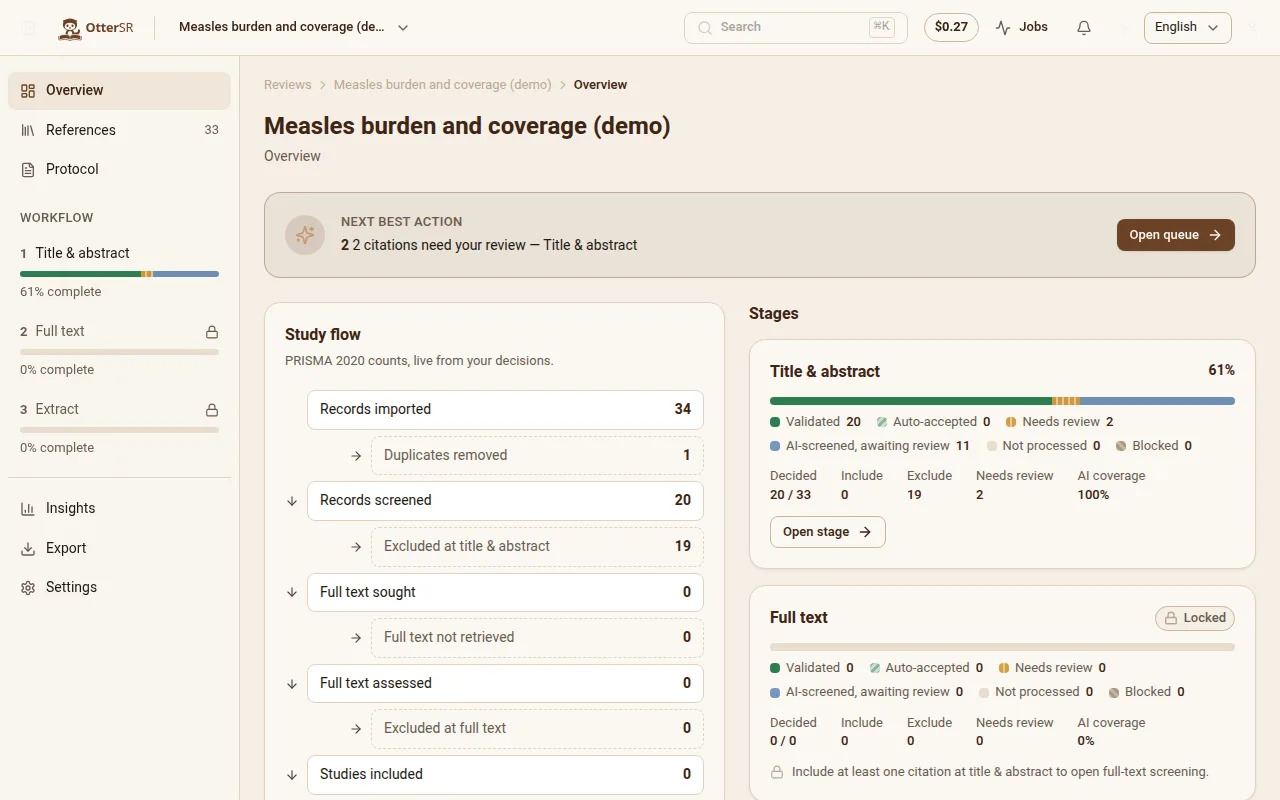
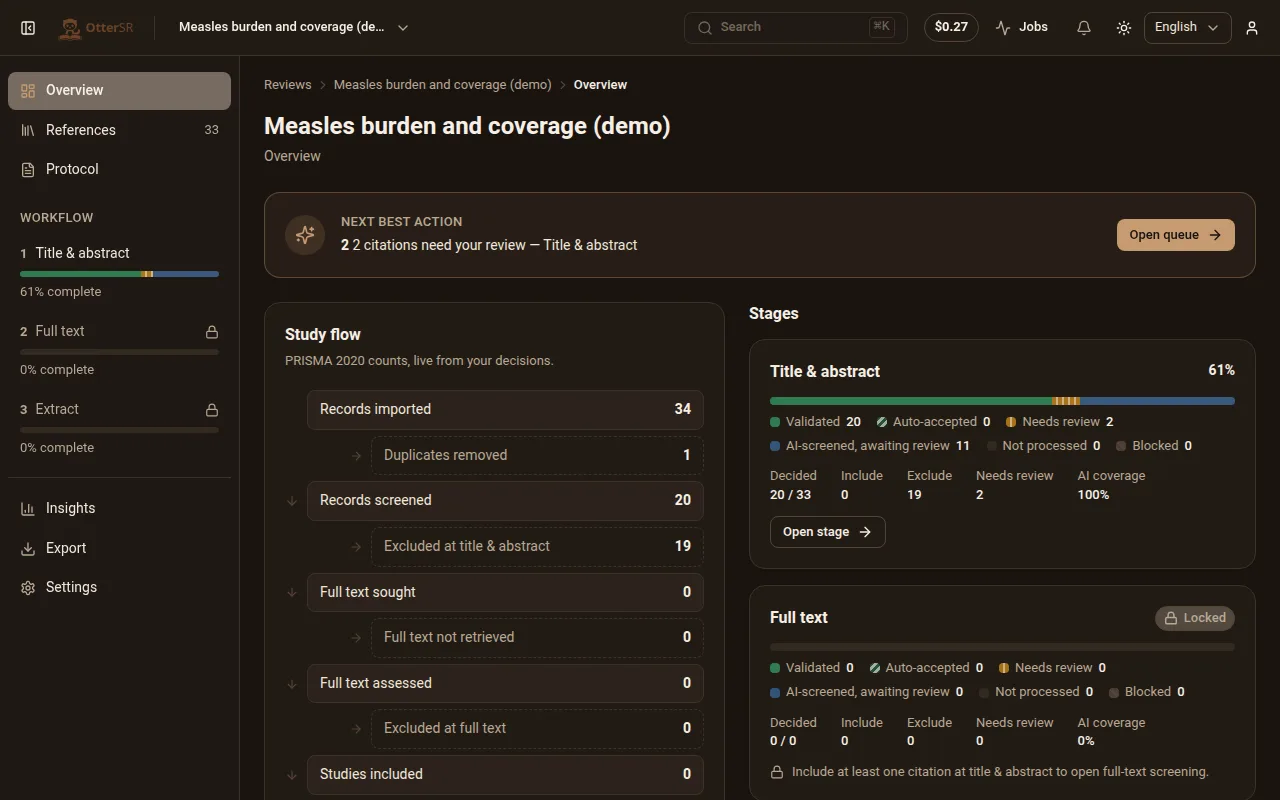
OtterSR builds the PRISMA diagram from your review as you work. Duplicate removal is a soft delete, so a removed duplicate still counts as identified and then removed, and you can undo the removal. The overview shows the flow live, from identified to included, with exclusion reasons. The export includes a PRISMA diagram whose numbers match the exported data, and in the Write stage you can ask for a PRISMA flow figure for the manuscript. See how it works.
Free tools for this step
- PRISMA flow diagram generatorUse this when your manuscript needs a PRISMA 2020 flow diagram and you want its numbers checked before a reviewer does.
- Duplicate reference finderUse this when you’ve merged search results from several databases and need the duplicates out before screening, with a count for PRISMA.
Related guides
- How to write the results, discussion and abstract of a systematic reviewThe results, discussion and abstract of a systematic review, item by item against PRISMA 2020 and PRISMA 2020 for Abstracts, with wording for certainty.
- How to remove duplicate references in EndNote, Zotero, Mendeley and OtterSRHow EndNote, Zotero and Mendeley find duplicate references, what each misses, how to resolve them safely, and how to count duplicates removed for PRISMA 2020.
- Full-text screening and recording reasons for exclusionHow to run full-text screening for a systematic review: getting the reports, linking them to studies, applying the criteria and giving one reason per exclusion.
Sources
- Page MJ, McKenzie JE, Bossuyt PM, et al. The PRISMA 2020 statement: an updated guideline for reporting systematic reviews. BMJ 2021;372:n71. https://doi.org/10.1136/bmj.n71
- PRISMA 2020 flow diagram templates. PRISMA Executive, prisma-statement.org. https://www.prisma-statement.org/prisma-2020-flow-diagram
- Page MJ, Moher D, Bossuyt PM, et al. PRISMA 2020 explanation and elaboration: updated guidance and exemplars for reporting systematic reviews. BMJ 2021;372:n160. https://doi.org/10.1136/bmj.n160
- Lefebvre C, Glanville J, Briscoe S, et al. Chapter 4: Searching for and selecting studies [last updated March 2025]. In: Higgins JP, Thomas J, Chandler J, et al (editors). Cochrane Handbook for Systematic Reviews of Interventions version 6.5.1. Cochrane, 2025. https://www.cochrane.org/authors/handbooks-and-manuals/handbook/current/chapter-04